
Free painting estimate template
A one-page painting estimate you can print and fill in by hand at the walkthrough. It has room for the surfaces, the prep, the primer and coats, the paint you plan to use, what is not included and how you want to be paid. Open the filled example to see how a finished one looks.
Two plain PDF files. No sign-up and no email needed.
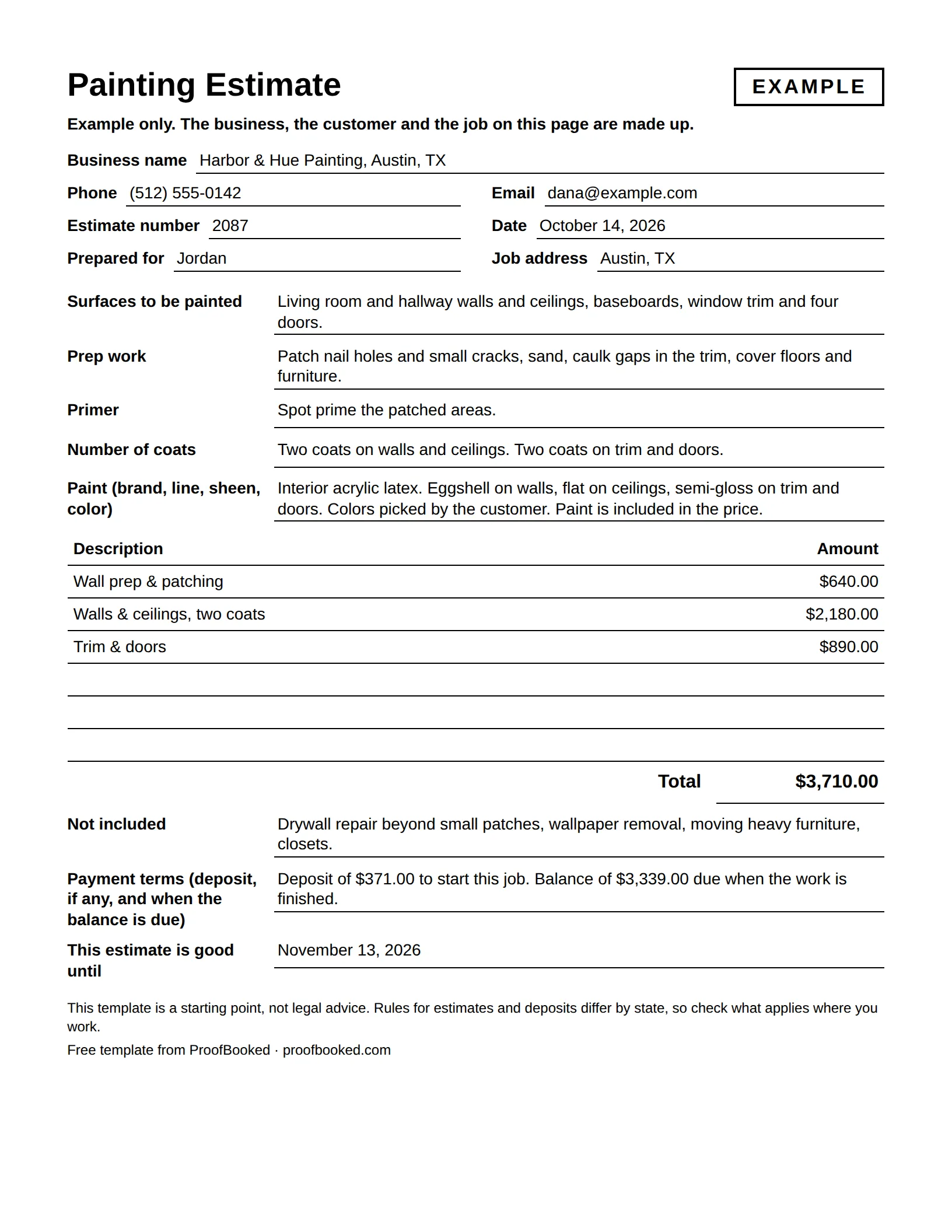
What to put in a painting estimate
Surfaces
List every surface you will paint, room by room: walls, ceilings, trim, doors, cabinets or siding. Name anything in the room you are leaving as it is.
Prep work
Write down the prep your price covers, such as patching holes, sanding, caulking and covering floors and furniture. Prep is easy to disagree about later, so spell it out.
Primer
Say whether you will prime, and where: bare wood, new drywall, stains or a big color change. If the job needs no primer, say that too.
Coats
Give the number of coats for each surface. If the walls get two coats and the ceiling gets one, write it that way.
Paint product
Name the paint: the brand, the line and the sheen for each surface, and who picks the colors. Note whether the paint is in your price or bought by the customer.
Exclusions
List what is not included, such as drywall repair beyond small patches, wallpaper removal, moving heavy furniture or rotted wood you find once you start. A written list is easier than a debate when the job is done.
Payment terms
Write down whether you ask for a deposit, how much, and when the balance is due. Deposit rules differ by state and by license, so check the rules where you work.
This template is a starting point, not legal advice. Rules for estimates and deposits differ by state, so check what applies where you work.
Make your next estimate on your phone.
ProofBooked is an app for writing estimates and sending them to your customer as a link or a PDF. With it you can:
- Write the estimate on your phone.
- Add photos of your past work by attaching a Job page, a web page with photos of a job you finished.
- See when it is opened.
- Let your customer accept it online.
- Online Accept and open alerts come with Pro.
Estimates are free, with no limit on how many you make. The Free plan also lets you see in the app when one is opened and add photos from a Job page. It includes 3 Job pages or Review request pages in total.
Get ProofBooked


Apple and the Apple logo are trademarks of Apple Inc. App Store is a service mark of Apple Inc.
Google Play and the Google Play logo are trademarks of Google LLC.