
Free handyman estimate template
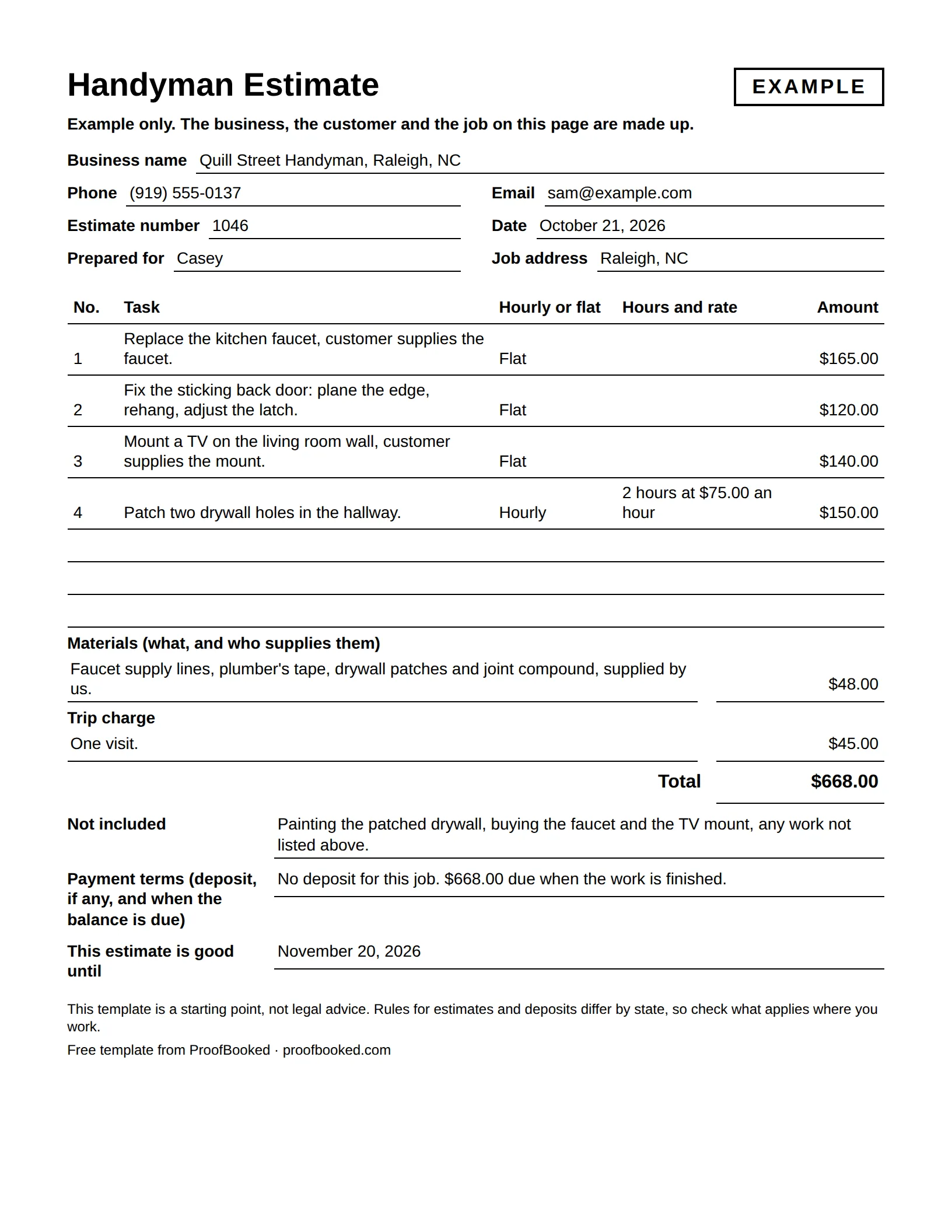
Small jobs are easier to agree on when the price is on paper. This one-page handyman estimate has a numbered task list, a line for materials, a spot to mark each task hourly or flat, and a place for your trip charge. Print the blank copy, or look at the example for one that is filled in.
No sign-up, no email. Each link opens the PDF file itself.
What a handyman estimate should cover
Task list
Number each task and describe it in one line: what you will fix, hang, swap or install, and in which room. One task per line keeps the price easy to follow.
Materials
Note the materials each task needs and who is buying them. If the customer supplies the faucet or the light fixture, put that in writing.
Hourly or flat
Mark each task as hourly or flat. For hourly work, give your rate and your best guess at the hours. For flat work, give one price for the whole task.
Trip charge
If you charge for the trip, show it as its own line with the amount. State whether it covers one visit or each visit.
What is not included
Say what the price leaves out, like paint touch-up after a patch, hauling away old fixtures or anything hidden behind a wall. Add how you will price extra work the customer asks for on the day.
This template is a starting point, not legal advice. Rules for estimates and deposits differ by state, so check what applies where you work.
Make your next estimate on your phone.
ProofBooked is an app for writing estimates and sending them to your customer as a link or a PDF. With it you can:
- Write the estimate on your phone.
- Add photos of your past work by attaching a Job page, a web page with photos of a job you finished.
- See when it is opened.
- Let your customer accept it online.
- Online Accept and open alerts come with Pro.
Estimates are free, with no limit on how many you make. The Free plan also lets you see in the app when one is opened and add photos from a Job page. It includes 3 Job pages or Review request pages in total.
Get ProofBooked


Apple and the Apple logo are trademarks of Apple Inc. App Store is a service mark of Apple Inc.
Google Play and the Google Play logo are trademarks of Google LLC.